How to Make a Map in Minecraft on Java and Bedrock
On Java, 8 paper around a compass makes a map; on Bedrock, 9 paper does. How to make a map in Minecraft, fill it in, zoom out, copy it, mark your base.
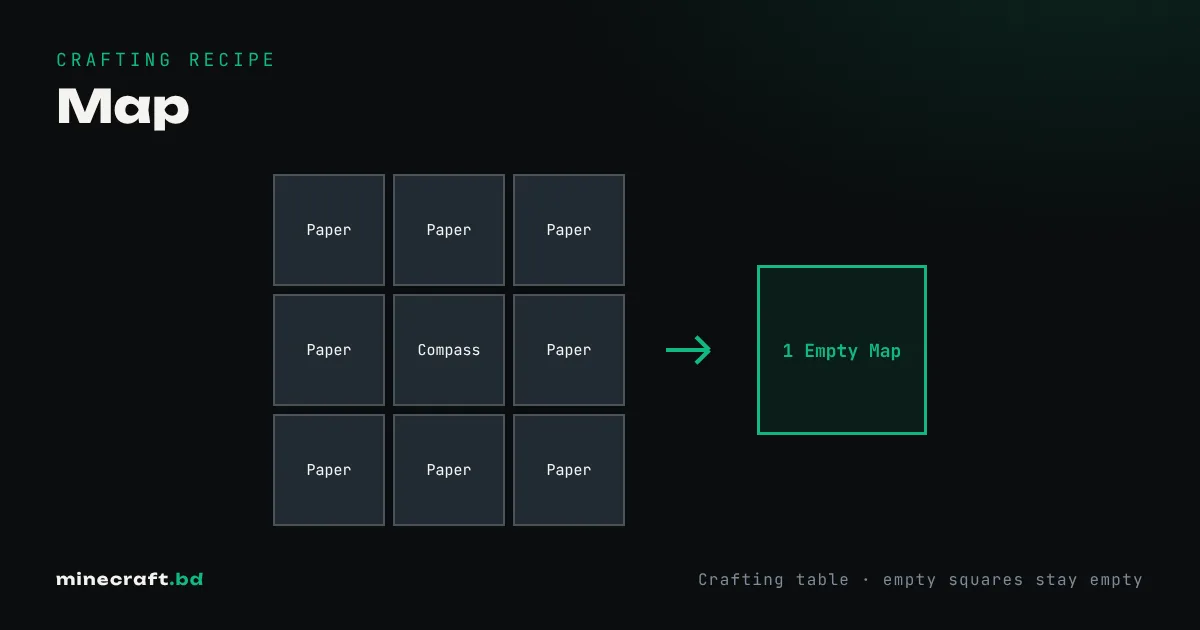
In Java Edition, put a compass in the center of a crafting table and fill the other 8 slots with paper. In Bedrock Edition, 9 paper makes an empty map, and 8 paper around a compass makes an empty locator map, which shows a marker for where you are. Either way, the result is one empty map.
Getting the paper and compass
Paper is 3 sugar cane in a row, giving 3 paper, so a map needs three crafts’ worth: 9 sugar cane. Sugar cane grows next to water along rivers and beaches. Our paper guide explains how to farm it. The compass is 4 iron ingots around a redstone dust (compass guide).
Filling in the map
Hold the empty map and use it. It becomes a filled map of the area around you, centered on a fixed grid rather than exactly on your position. From then on, it draws terrain while you hold it and walk around. Areas you never visit stay blank.
A fresh map at the closest zoom covers 128 by 128 blocks. That is great detail for a base but small for exploring.
Zooming out
Take the map to a cartography table and add one paper: it zooms out one level. You can do this four times. Each step doubles the width, so the largest map covers 2,048 by 2,048 blocks. Zooming out creates a new map that has to be explored again, though, so zoom first and explore second.
In Java you can also zoom on a crafting table by surrounding the map with 8 paper, but that costs eight times as much. Our cartography table guide covers zooming, copying and locking in detail.
Copying and locking
- Copy: filled map plus an empty map in a cartography table (or crafting grid) gives two identical maps. Handy for sharing with friends.
- Lock: filled map plus a glass pane in a cartography table freezes it, so it no longer updates. Use this for map art or a record of your base before you rebuild it.
Map walls and markers
Place filled maps in item frames side by side and they join into one big wall map. It’s the best way to see a whole region at once.
To mark places, use a map on a placed banner in Java Edition. The banner shows up as a colored pin on the map, with its name if you renamed the banner in an anvil. Bedrock doesn’t support banner markers.
One limit worth knowing: in the Nether, maps mostly draw the bedrock ceiling as a red and gray mess, so for Nether navigation a lodestone compass is more useful.
Common questions
Do you need a compass to make a map?
In Java Edition, yes: 8 paper around a compass. In Bedrock, 9 paper makes a plain empty map, and 8 paper around a compass makes a locator map that shows your position.
How do you make a map bigger?
Put the map and one paper in a cartography table to zoom out one level, up to four times. Each level covers twice the width of the last.
Why is my map not showing anything?
An empty map only starts drawing after you hold it and use it. It then records the area around you as you walk, but only while you're holding it.
Sources & verification
Facts on this page are checked against these references and in-game behavior for the stated edition(s). how we verify.
Keep reading